TG
ThumbGeniusAI YouTube Thumbnail Creator
For YouTube creators & editors

Create thumbnails your viewers actually click.

ThumbGenius turns your title or script into high-performing YouTube thumbnails in seconds — so you spend more time creating and less time in design tools.

5,000+ creators

already using ThumbGenius

Up to 32% higher CTR

vs. manually designed thumbnails*

Before

Plain thumbnail3.1% CTR

After (ThumbGenius)

Optimized thumbnail+28% CTR

*Example uplift from early beta users. Results vary by channel.

Trusted by creators across niches

TechExplainedDailyGamingCreatorLabFinanceFastStudyWithMe

From idea to thumbnail in under 60 seconds.

Paste your idea, choose a style and let the AI do the heavy lifting.

1

Paste your video idea or script

Tell ThumbGenius what your video is about – paste your title, script, or a short description.

2

Choose a style & audience

Pick a proven thumbnail style tuned for your niche: gaming, education, tech, finance, and more.

3

Generate, tweak & export

Get multiple options in seconds. Tweak text, colors and faces, then export in perfect YouTube size.

Everything you need to design thumbnails that get clicked.

AI, proven layouts and simple controls, wrapped in a tool that feels made for busy creators.

AI thumbnail generator

Generate fresh thumbnail concepts trained on thousands of high-performing videos in your niche.

Face & text optimization

Auto-position faces and headlines for maximum clarity on mobile and desktop.

A/B test ready exports

Export multiple versions so you can test what your audience clicks on most.

Brand presets

Save your brand colors, fonts and logo placements to stay consistent across videos.

Safe zones & resize

Export with YouTube overlays in mind, so nothing important gets covered.

Built for teams

Share projects with editors or clients, comment, approve and ship faster.

See the kind of results you can expect.

Realistic prompts with before/after CTR so creators know what ThumbGenius can do for their channel.

Prompt → Thumbnail → CTR

Tech review

“Is the NEW iPhone worth it in 2025?” — honest review

Before: 3.2% CTRAfter: 6.1% CTR

Gaming challenge

“I tried beating Elden Ring with no armor”

Before: 4.1% CTRAfter: 7.0% CTR

Replace these with your actual best prompts, CTR numbers and generated thumbnails to show real performance.

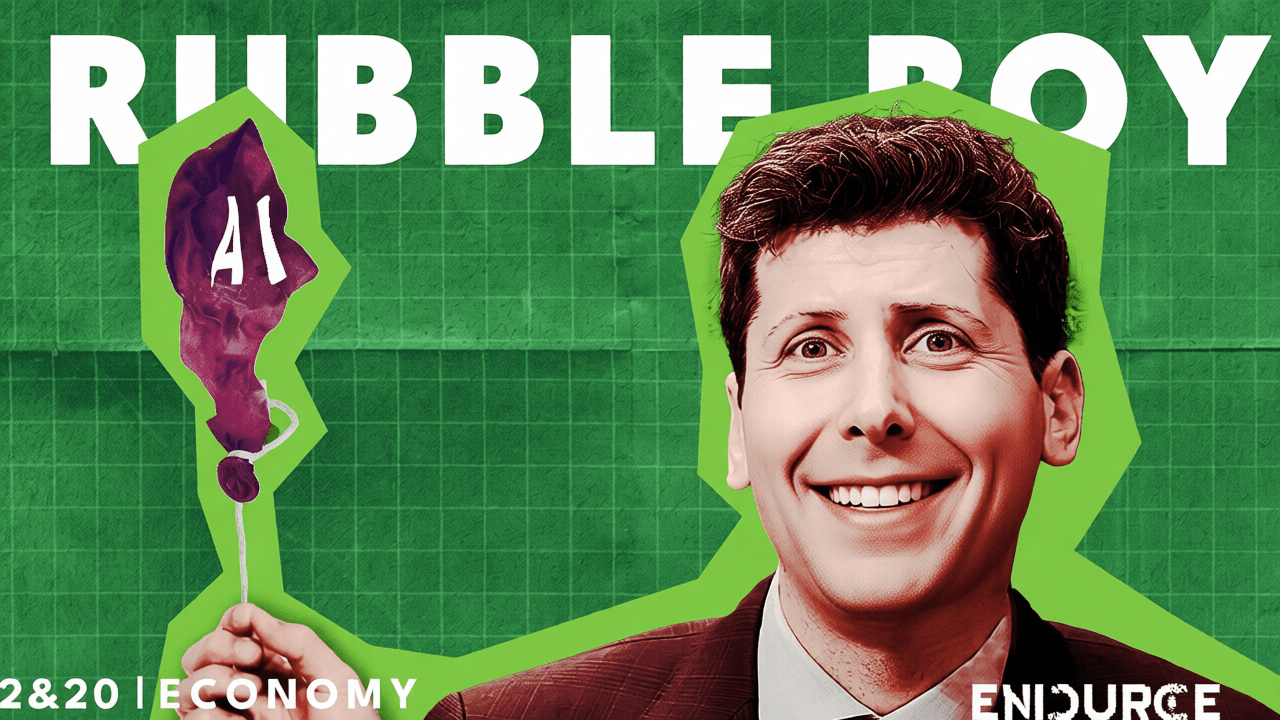
Sample generated thumbnails

Connect your own images here. For now, we show placeholders – swap them with real outputs from your app.

1. Tech review

Tech review thumbnail 1
Tech review thumbnail 2

2. Gaming challenge

Gaming challenge thumbnail 1
Gaming challenge thumbnail 2

Creators are already seeing higher click-through rates.

Less time in design tools. More views from the content you’re already publishing.

ThumbGenius cut our thumbnail design time from 45 minutes to under 5 – and our CTR jumped immediately.

Alex R.

Tech education channel · 220k subs

I now generate 3 options before every upload and simply pick the best performer. It feels like cheating.

Maya Films

Lifestyle vlogger · 78k subs

Clients love seeing multiple thumbnail directions per video. ThumbGenius is now part of our standard package.

PixelForge Studio

Agency · Manages 15+ channels

Simple pricing that scales with your channel.

Start free. Upgrade when you’re ready to post consistently and test what works.

Starter

Free

For new creators testing thumbnails.

  • 10 AI thumbnail generations / month
  • 5 edit-existing thumbnails / month
  • 5 multi-image edits / month
  • Basic templates & fonts
  • 1 brand preset
  • Export in YouTube thumbnail size
Get started free
Most popular

Pro

$9.99/month

For creators uploading weekly and serious about improving CTR.

  • Unlimited AI thumbnail generations
  • 30 edit-existing thumbnails / month
  • 30 multi-image edits / month
  • Unlimited AI prompt improvement
  • Priority rendering & higher quality results
Get Pro

No credit card required · Cancel anytime

Studio

$49/month

For teams, editors & agencies managing multiple channels.

  • Everything in Pro
  • 10 brand presets
  • Team collaboration workspaces
  • Client review & approval links
  • Priority support
Coming soon

Answers to common questions.

Still unsure if ThumbGenius is right for you? Start free and see how it performs on your next few uploads.

Do I need design experience to use ThumbGenius?

No. ThumbGenius is built for non-designers. The AI handles layout, colors and contrast – you just tweak details.

Will my thumbnails look like everyone else’s?

Each thumbnail is generated uniquely based on your video, niche and brand presets. No two creators get the same output.

Can I use my own photos and faces?

Yes. Upload your own images and let ThumbGenius position and enhance them for maximum impact.

What happens after the free trial?

Upgrade to Pro with one click, or continue on the free tier with limited monthly generations. Cancel anytime.

How do you handle privacy?

Your uploads are private to your account and never used to train public models. You stay in full control.

Does this replace my designer or editor?

Think of ThumbGenius as a creative assistant. Many teams use it alongside designers and editors to move faster.

Ready to publish your next video with a thumbnail you’re proud of?

Join creators using AI to design thumbnails that get clicked — in less time than it takes to make a coffee.